
POS System for Aesthetic Clinics
A simple, flexible POS and payment system for aesthetic clinics, beauty clinics and healthcare businesses — connected to bookings, client records and daily clinic workflows.
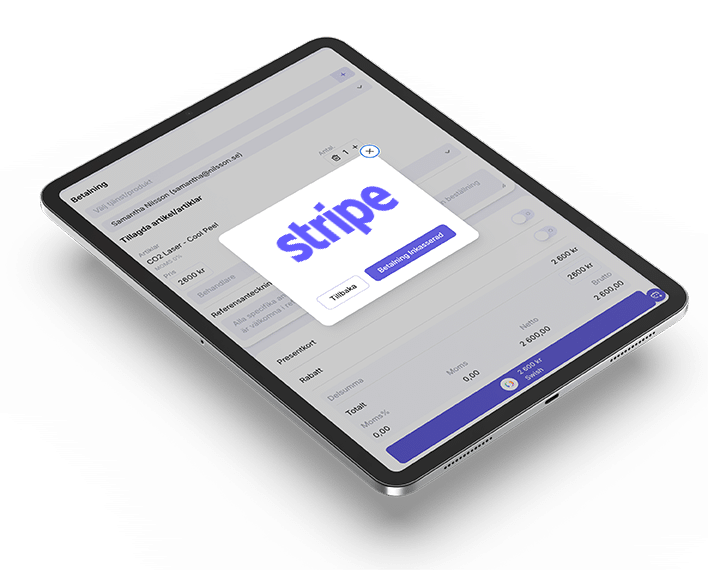
What’s included in MERIDIQ’s clinic POS system?
MERIDIQ gives clinics a simple way to manage payments, receipts and sales directly from the same system used for bookings and client workflows.
Stripe payments
Accept online and card payments through Stripe.
Viva payments
Connect Viva for flexible card and contactless payment options.
Manual and cash payments
Register payments made by cash, bank transfer or other manual methods.
Invoicing
Create invoice-based payment flows for clients and treatments.
Digital receipts
Send receipts by email and keep payment information organised.
Product and service sales
Sell treatments, products, packages and add-ons from the same checkout.
Sales reports
Follow daily sales, payment methods, users and revenue over time.
Product library
Create and manage products, treatments, prices and payment categories.
A POS system built for modern clinics
Take payments your way
Use Stripe, Viva, cash, manual payments or invoicing depending on how your clinic works. MERIDIQ helps you keep payment flows simple without separating bookings, clients and checkout into different systems.
- Stripe, Viva, cash, manual payments or invoicing
- Digital receipts by email
- Product and treatment library from the booking module
- Gift cards, where the module supports them

Online payments via Stripe and more
Accept secure online payments through Stripe, Viva and other providers. Clients can pay for treatments, products and deposits before they arrive, or you can send a payment link for remote checkout. Every transaction is recorded against the client profile.
- Secure online card payments through Stripe and Viva
- Send payment links for remote checkout
- Accept deposits and pre-payments before visits
- All online payments linked to client records
Less admin after every treatment
Create receipts, record payment methods, manage products and follow sales in one place. MERIDIQ helps clinics save time and reduce manual administration at reception.
- Create receipts and record payment methods in one place
- Manage products, packages and prices centrally
- Follow sales and revenue over time

“The best part is having bookings, client information, payments and receipts connected in one place. It makes the daily workflow much easier for the whole clinic team.”
Aesthetic clinic
Build a complete clinic system around your POS
MERIDIQ can be used as part of a complete clinic platform. Add booking and patient records when your clinic needs them. Payments/POS start from £16 per month or £192 per year.
Booking system
- Online booking page or website booking integration
- Calendar and staff scheduling
- Booking confirmations and reminders
- Online payment connection
- Bookings connected to client profiles
Patient records
- Secure digital patient records
- Treatment notes and templates
- Consent forms and e-signatures
- Before and after images
- Connected booking and payment workflows
Get started with your clinic POS system
Whether you are starting a new clinic or replacing separate payment tools, MERIDIQ makes it easier to connect payments with the rest of your clinic workflow. Set up your payment methods, add your products and services, invite your team and start taking payments in a more organised way.

Checklist for setting up your clinic POS system
Access and team permissions
Invite the right team members and manage who can access payments, reports and checkout features.
Add products and services
Create your treatments, services, products, packages and prices.
Connect payment methods
Set up Stripe, Viva, invoicing, manual payments and cash handling depending on your clinic workflow.
Set receipt preferences
Make sure digital receipts and invoice information are clear and easy for clients to receive.
Connect bookings and payments
Check that booked treatments can flow smoothly into checkout and client records.
Train your team
Make sure reception and practitioners understand how to register payments, issue receipts and manage daily workflows.
Test before launch
Run test payments, invoices, receipts and reports before using the system with clients.
Tips when choosing a POS system for your clinic
Choosing a POS system for a clinic is not only about taking payments. The best setup should support your treatments, products, client data, reporting and daily administration.
- Match payment methods to your clients: Choose payment methods that match how your clients prefer to pay — Stripe, Viva, cash, manual or invoicing.
- Keep bookings, treatments and payments connected: Make sure booked treatments can flow directly into checkout and client profiles.
- Use digital receipts: Reduce manual handling by sending digital receipts by email as standard.
- Structure your product library early: Keep product, treatment and service pricing organised from day one.
- Make cash, manual and invoicing easy: Ensure your team can register cash, manual payments and invoices without workarounds.
- Review sales reports regularly: Use daily and monthly reports to understand clinic performance and revenue trends.