
Booking System for Aesthetic Clinics
A booking system built for clinics and skin clinics. Let patients book online around the clock, reduce no-shows with automated reminders, and connect every appointment directly to their patient record — from just £4 per user per month
Start your free trial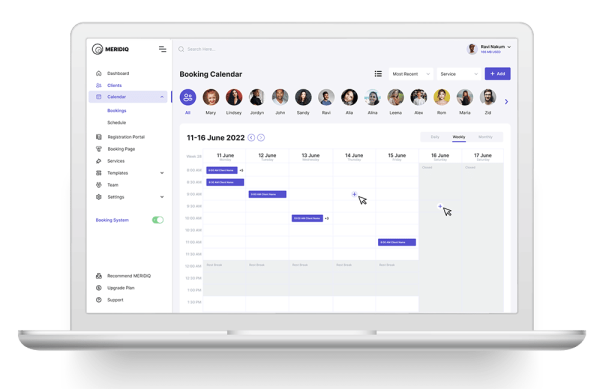
What’s included in the booking system?
MERIDIQ is a web-based booking system designed for aesthetic clinics, skin clinics, and other treatment-based practices.
The booking system comes complete with staff scheduling, online payment integration, SMS and email reminders, and built-in reporting tools.
Scheduling
Create and manage staff schedules and opening hours with ease
Patient database
Store and organise patient information securely in one place
Online booking page
Accept bookings through a dedicated page or embedded on your own website
Online payments
Collect payment at the time of booking via the integrated POS system
SMS & email support
Reduce no-shows with automated appointment reminders and confirmations
Online consultations
Schedule and conduct video consultations directly from the system
Patient record integration
Attach consent forms and questionnaires to the booking flow, linked to the patient profile
How MERIDIQ simplifies your booking
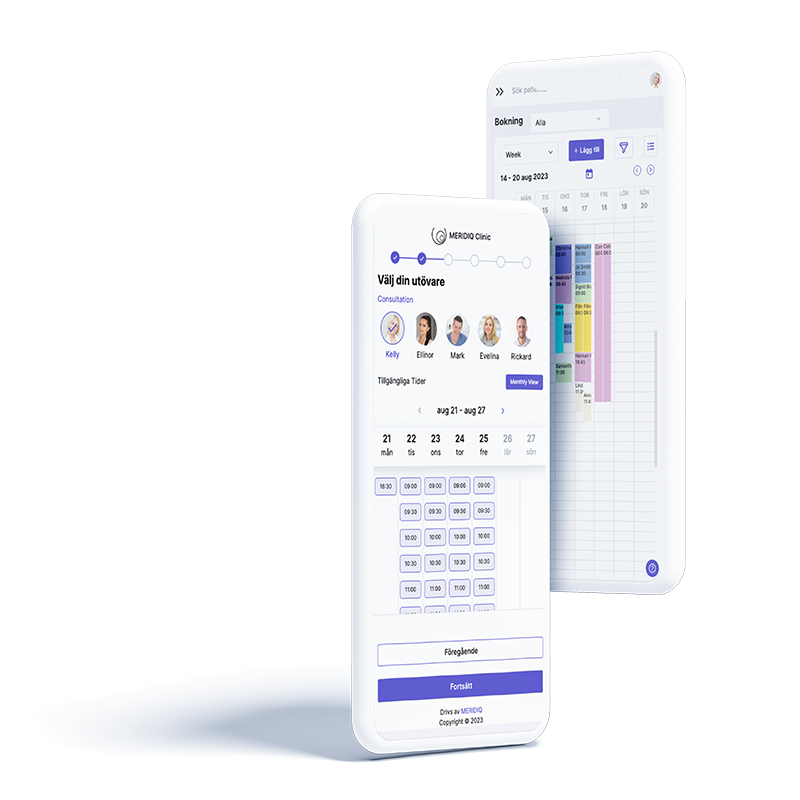
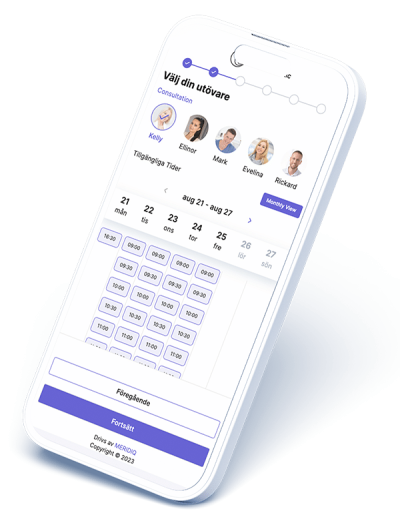
Seamless booking experience
- Dedicated booking page or embed on your own website
- Specific links for different treatments
- Confirmation via email and SMS
- Attach forms to the booking flow (from the patient record system)
- Verify patient identity securely
Simple scheduling
- Create your own schedule templates
- Schedule multiple practitioners at once
- Day, week, or month views
- Linked to opening hours
- Set fully customised time slots
- Colour-coded treatments for quick overview
“We compared several systems, but MERIDIQ was by far the best: easy to use, modern, and accessible. I fell for it straight away! Everyone here has noticed an enormous difference in their day-to-day work”
Clinic Manager
Extend your booking system
Tailor MERIDIQ to your practice with add-ons for patient records and payments. Enable more features as you grow and build a clinic system that scales with your needs.
Patient Records
- Secure digital record-keeping for clinics
- Notes, communication, and e-signatures
- Treatment and prescription templates
- Image management and editing tools
- Fully integrated with the booking system
POS System
- Fully integrated with booking and patient records
- Online payments and digital receipts
- Gift vouchers
- Built-in product catalogue with stock management
- Collect digital signatures directly in the system
Get started with your booking system
Ready to try MERIDIQ? Start integrating the booking system into your clinic workflow today. It’s built for small and growing clinics and reduces both costs and setup time. Using a purpose-built tool for your industry also means less effort to get up and running with a new system.
Get started here
Your checklist for getting started with the booking system
Access management
Invite the right people with the right level of access to keep your database secure
Set up schedules
Create practitioner profiles and schedules, including working hours and opening times
Data migration
Import your existing patient data and appointments into MERIDIQ
Workflow & processes
Review your routines for how patients book and how practitioners manage appointments
Enable SMS
Create templates for confirmations and reminders via SMS to reduce missed appointments
Integrate payments
Connect the booking system to the POS system to start taking payments
Enable verification
Integrate the booking system with secure identity verification for patients
Train your team
Book training sessions with MERIDIQ to get the most out of the system
Tips for a smooth transition to a new booking system
Switching to a new booking system doesn’t have to be complicated. Whether you’re starting a new practice or moving from another system, a few simple routines can make the transition both smooth and secure.
- Plan ahead: Set a clear date for the switch and create a simple checklist (data, schedules, staff, patients).
- Clean and export your data: Review your patient database, services, and pricing — and make sure everything transfers correctly.
- Test before going live: Add a few bookings, test payment/receipts, and check confirmation emails and SMS.
- Inform your patients: Let them know when the switch is happening and what might change (e.g. a new booking link).
- Assign an internal lead: One person who gathers questions, contacts support, and keeps the transition on track.
Frequently asked questions
What is a booking system?
How much does a booking system cost?
Can patients book appointments online 24/7?
How do reminders help reduce no-shows?
Do you support prepayment or deposits?
Is the booking system integrated with patient records?
How do cancellations and rescheduling work?
Does the system comply with data protection regulations?
Get more from your booking system
Read our guides on choosing the right booking system, reducing no-shows, and streamlining your administration. Find tips on features and integrations — all connected to MERIDIQ’s booking system.