
Invoicing software for clinics
MERIDIQ is invoicing software for aesthetic and private clinics. Create, send and follow up invoices to patients and companies – connected to booking and point of sale. From £8 a month.
What’s included in MERIDIQ’s clinic invoicing software?
Create invoices for patients and companies, schedule recurring invoices, get paid by bank transfer – or by card with Point of Sale – send automatic reminders and issue credit notes. Connect booking, patient records and point of sale when you need them.
Invoices in minutes
Create an invoice in three steps and add lines from services, products or the patient’s bookings.
Patient or company
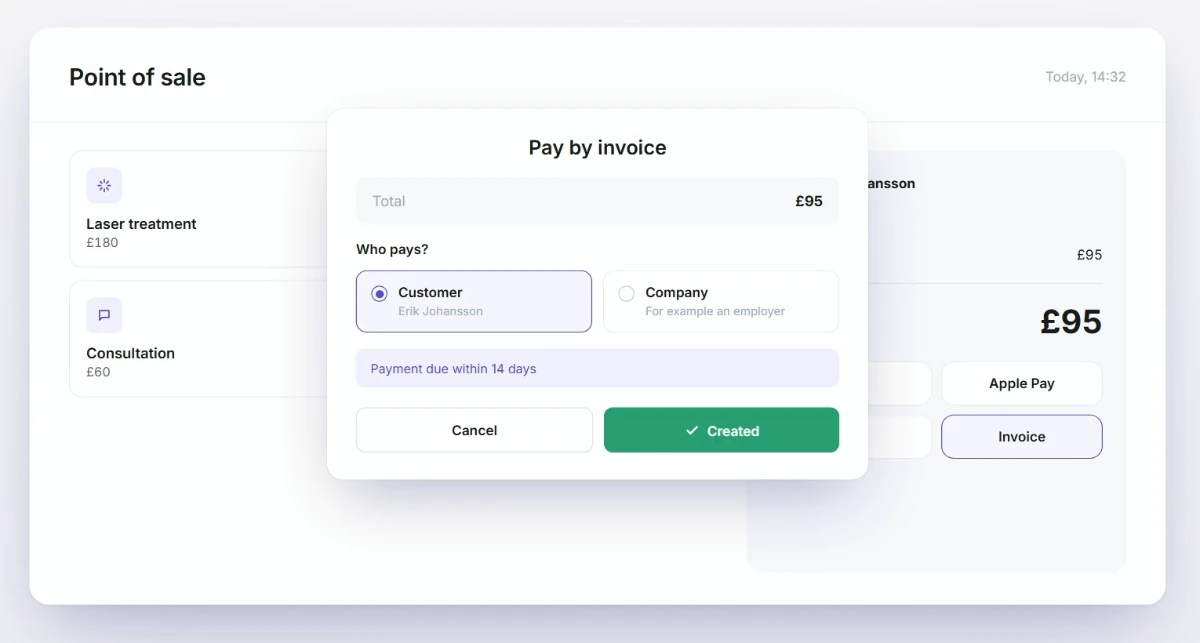
Choose who pays – the patient, an employer or an insurer.
Recurring invoices
Send invoices weekly, monthly, quarterly or yearly – for example for memberships.
Bank transfer or card
Bank details and a payment reference on every invoice. Add Point of Sale and the payer can also pay by card or Apple Pay from the email.
Automatic reminders
Turn on automatic reminders and the payer is emailed once an invoice is overdue. You can also send a reminder manually.
Credit notes and history
Issue a credit note linked to the original invoice and see a log for every invoice.
Simple invoicing software built for clinics
Get paid faster
- Bank details and a payment reference on every invoice
- Card and Apple Pay with Point of Sale – marked paid automatically
- Bank transfers are marked as paid by the clinic
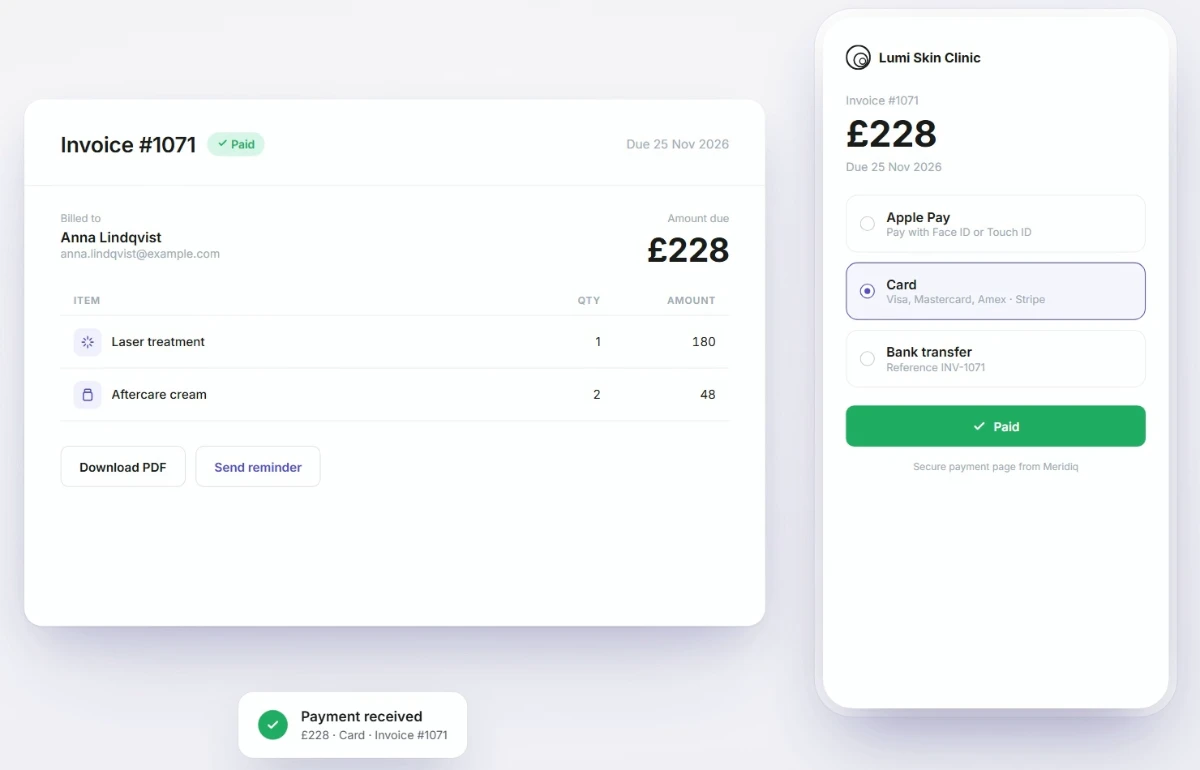
Less administration
- Add lines from the patient’s bookings
- Saved services and products
- Payment terms per company
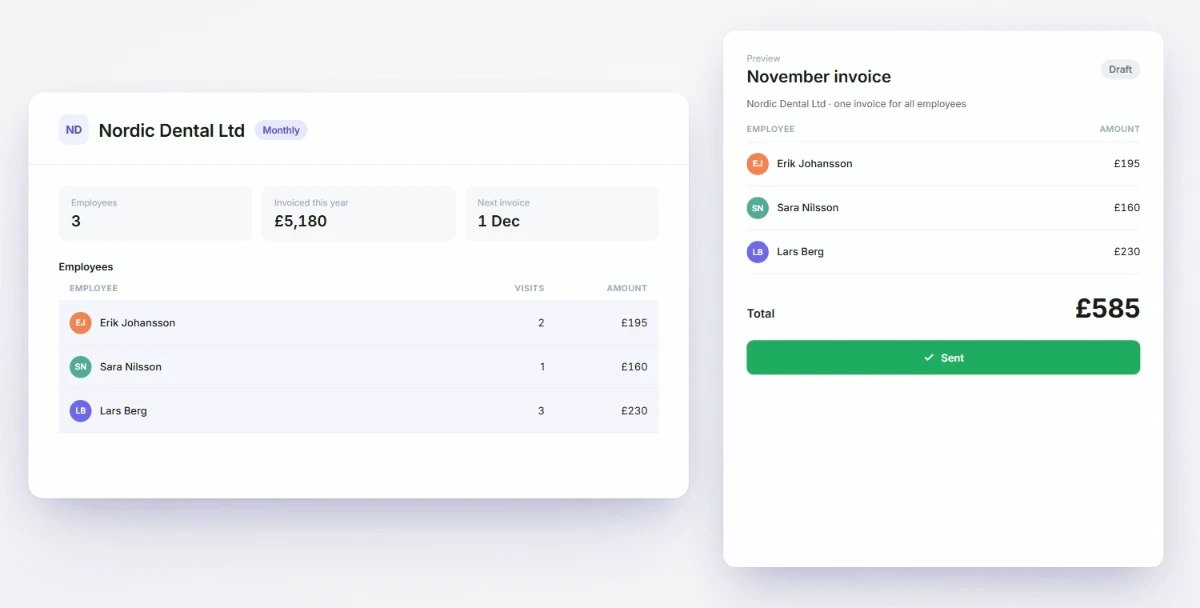
Full control
- See invoices awaiting payment and overdue invoices
- Status from draft to paid
- History on every invoice
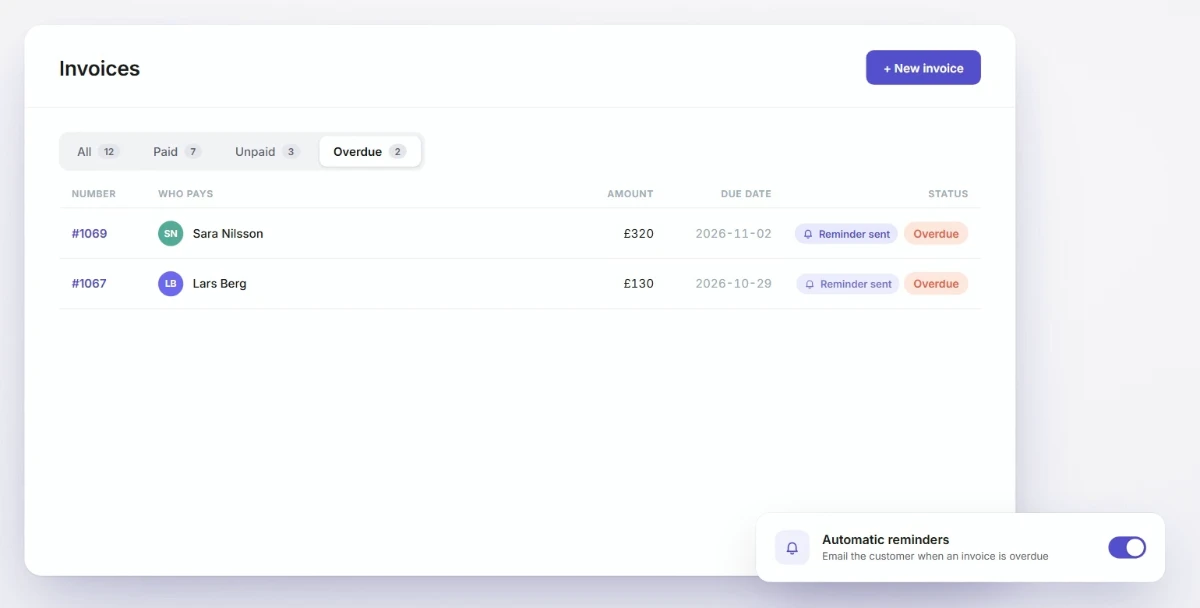
Invoice the patient – or the company that pays
Some patients have treatment paid for by an employer, an occupational health company or an insurer. Add the company once and use its saved settings for future invoices.
Patient
The patient pays for their treatment- The invoice is emailed with bank details and a reference
- Card and Apple Pay from the email with Point of Sale
- Or pay the invoice at the till with Point of Sale
Company
Employers, occupational health companies or insurers- One invoice per visit or one consolidated monthly invoice
- Link employees to the company and preview the monthly invoice
- Own payment terms and invoice email per company
From booking to paid invoice
Connect invoicing to booking and patient records so you do not have to enter the same details twice.
Booking
The client books online or through the clinic.
Treatment & records
The treatment is documented in the patient’s record.
Invoice
The invoice is created with lines from the booking and emailed directly.
Payment
The payer pays by bank transfer – or by card and Apple Pay with Point of Sale.
Paid
Card payments via Point of Sale are marked paid automatically. Bank transfers are marked paid by the clinic. If the patient pays at the till, a receipt is created.
Connect invoicing to the rest of your clinic
Add booking, patient records or Point of Sale to suit your clinic. Add more functions when you need them, without changing systems.
Booking System
- Booking page or website integration
- Scheduling and opening hours
- SMS confirmations and reminders
- Point of Sale integration for online payments
- Bookings saved in the client’s profile
Patient Records
- Digital patient records for clinics
- Notes, communication and e-signatures
- Templates for treatments and prescriptions
- Image management and editing
- Integration with the Booking System
Point of Sale
- Card and Apple Pay from the invoice email
- Card payments mark the invoice as paid
- Pay open invoices at the till
- Electronic receipts
- Gift cards and product library
Get started with invoicing
Activate invoicing in the MERIDIQ app store, add your clinic details and bank details, and send your first invoice.
Your checklist for getting started with invoicing
Set up your clinic details, payment methods and invoice settings before sending your first invoice.
Add your clinic details and VAT registration number
In Configuration. These details appear on your invoices.
Add bank details and payment terms
Set the clinic’s default terms and the bank details shown on invoices.
Add Point of Sale for card payments (optional)
Payers can then pay by card or Apple Pay from the invoice email, and the invoice is marked paid automatically.
Check your invoice details
Review your clinic name, address and contact details before sending.
Add services and products as items
Reuse saved items when adding invoice lines.
Add companies that pay for their employees
Save each company’s invoice email, payment terms and invoicing method.
Turn on automatic reminders
Reminders are emailed when an invoice becomes overdue.
Send a test invoice to yourself
Check the text, payment details and PDF before invoicing patients.
Agree a routine for credit notes and refunds
Each credit note refers to the original invoice.
Four ways to get paid faster
Use invoice settings that match how your clinic works. Put clear bank details on every invoice, agree payment terms and review overdue invoices regularly.
MERIDIQ handles invoicing and payment collection; your bookkeeping stays in your accounting software.
- Send the invoice the same day as the treatment.
- Add Point of Sale if you want patients to pay by card from the email.
- Use a monthly invoice for companies with many visits.
- Set payment terms per company so employers and insurers get the terms they expect.
Invoicing software FAQs
What is MERIDIQ Invoicing?
MERIDIQ Invoicing is web-based invoicing software for clinics. You create, send and follow up invoices to patients and companies, get paid by bank transfer – or by card with Point of Sale – and can connect invoicing to MERIDIQ’s booking, patient records and point of sale. It costs £8 a month.
Can I invoice a company or an insurer?
Yes. Choose Company as the payer. Each company can be invoiced per visit or on one monthly invoice, with its own payment terms.
How do patients pay?
By bank transfer, using the bank details and reference on the invoice. With MERIDIQ Point of Sale they can also pay by card or Apple Pay from the invoice email, or pay at the till.
Are reminders sent automatically?
Yes. With automatic reminders turned on, a reminder is emailed when an invoice becomes overdue. You can also send a reminder manually.
Is the invoice marked paid automatically?
Yes, when the payer pays by card through Point of Sale. Bank transfers are marked paid manually by the clinic.
Can I send recurring invoices?
Yes. Choose to repeat the invoice weekly, monthly, quarterly or yearly, with an optional end date. You can pause, stop and restart.
How do I issue a credit note?
Credit the invoice from the invoice page. MERIDIQ creates a credit note that refers to the original invoice.
Can I add VAT to my invoices?
Yes. Set the VAT rate on each invoice line, add a note when a treatment is VAT-exempt and show your VAT registration number on the invoice.
Do I still need accounting software?
Yes. MERIDIQ handles invoicing and payment collection; your bookkeeping stays in your accounting software.
What payment terms can I set?
The default is 14 days. You can change terms for the whole clinic, per company or on a single invoice.
Does MERIDIQ handle the payment itself?
No. Card payments run through the payment provider you connect in MERIDIQ Point of Sale, using your own account. Bank transfers go straight to your bank account. MERIDIQ updates the invoice status.
Can I use invoicing without Point of Sale?
Yes. Invoicing is a separate module and bank transfer works without Point of Sale. You need Point of Sale if you want card payments from the invoice email or payment at the till.
How much does it cost?
£8 a month or £80 a year, activated in the MERIDIQ app store. Try it free for 14 days.
More practical guides for your clinic
Read the latest MERIDIQ guides on clinic software and everyday clinic workflows.

7 November 2026
MERIDIQ vs Pabau: how the two clinic platforms compare
A fact-based comparison of MERIDIQ and Pabau for UK aesthetic clinics: how each is built and priced, what features they cover and which clinic each may fit.
Read more
27 October 2026
AI in aesthetic clinics: what to automate and what to keep clinical
Which clinic tasks AI can take over and which decisions must stay with a qualified practitioner, based on what CQC, the GMC and the MHRA say, with a checklist f
Read more
21 October 2026
Why booking density isn’t the same as clinic capacity
A full diary isn’t the same as clinic capacity. How pre-consultation triage moves clinical intake before the appointment, and why it matters as UK aesthetics re
Read more