
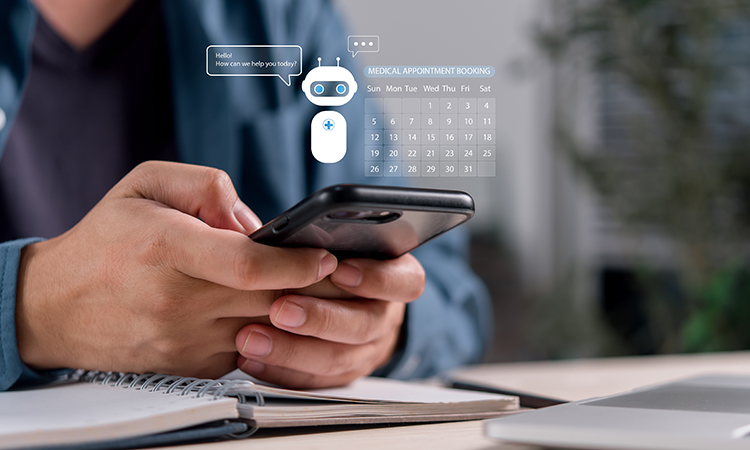
Clinic booking automation saves real time: confirmations, reminders and consent requests go out without anyone at the desk. The work that remains is the part automation can't do on its own. A patient replies to a reminder with a question about a new medication. Someone asks to move a treatment inside the cooling-off window. A patient the practitioner has asked to see first books straight into a treatment slot. If nobody owns these exceptions, the time you saved simply turns up somewhere else.
In short
- Automate tasks that follow clear rules, and name a person who handles everything that doesn't.
- Split what the system may do into three levels: look up information, make routine changes, and approve exceptions. Only the first two should run without a person.
- Replies that contain clinical information need a route to a practitioner the same day, and an outcome recorded in the patient record.
- Automation is only as good as the record behind it. Booking that can't see the patient record can't tell routine from exception.
Why clinic booking automation needs an owner for exceptions
A recent Business Matters piece on how small businesses outsource customer service without losing control gives advice that transfers well to clinics. Its starting point is to choose a first scope with clear rules and someone responsible for the exceptions. It also suggests reviewing recent conversations before delegating anything, to separate the questions an outsider can answer from those that need system access or an owner's decision.
A clinic can do the same exercise with its booking automation. Look through the last month of messages and calls and sort them. Most will be about times, directions, prices and forms. A smaller share will touch something clinical, or something only the practitioner can decide. That smaller share is where automation needs a clear handover.
Three levels of permission in a clinic booking system
The same article describes a permission model that separates looking up information, making routine changes and approving exceptions. Applied to a clinic, it looks like this:
| Level | Clinic examples | Who handles it |
|---|---|---|
| Look up | Appointment time, address, what to bring, whether a form is still outstanding | Automated messages or reception |
| Routine change | Confirming, moving or cancelling within your booking rules, resending a form | Online booking or reception, within set limits |
| Exception | A new medication or condition disclosed, a request to treat sooner than your policy allows, a reported side effect, a patient flagged for review | Practitioner, with a named cover |
The point is not to automate less. It is to agree in advance where each level ends, so that nobody, and no system, makes an exception-level decision by default.
Where exceptions come from in a clinic day
Most exceptions arrive through the same automated channels that save you time:
- Replies to reminders. A patient answers an SMS with "I've just started antibiotics, is that a problem?"
- Intake forms. A questionnaire returns an answer that changes whether the planned treatment should go ahead.
- Rebooking requests. A patient wants to bring a treatment forward, or book a top-up the practitioner wants to review first.
- Post-treatment messages. A routine follow-up prompts a reply about swelling or pain.
Replies that contain clinical information
These are the messages that matter most. They should never be answered by an automated reply or by staff guessing. Decide who sees them, how quickly, and how the outcome is noted in the patient record. In a small clinic that may simply mean the practitioner checks a shared inbox at set times each day, with a named colleague covering on days off. For more on handling health information before the appointment, see our article on pre-consultation triage.
One record behind every automated message
The Business Matters article makes a point about returns: if staff give conflicting answers because the policy is unclear, an outsourced team inherits the confusion. In a clinic, the equivalent is data spread across tools. If bookings sit in one app and treatment notes, consent and medical history in another, automation acts on half the picture. It sends a reminder for a treatment the practitioner has paused, or confirms a booking for a patient whose consent has lapsed.
When booking, patient records and messages share the same patient profile, reception can see what is outstanding before confirming anything, and the practitioner sees the full history before deciding an exception. Our guide to what to automate and what to keep clinical covers the wider line between operational and clinical tasks.
Set up your exception route: a checklist
- Review last month's messages. Sort them into look-up, routine change and exception, and note which channel each arrived through.
- Write down your booking rules. Lead times, cancellation window, which services new patients can book online, and when a consultation must come first.
- Name an owner and a cover. Decide who handles exceptions and who takes over when that person is away or on leave.
- Set a response time. For example, clinical replies checked twice a day, and patients told when to expect an answer.
- Tell patients where clinical questions go. Add one line to your reminder and follow-up templates saying how to reach the clinic about health concerns, and what to do if it is urgent.
- Record the outcome. Note exception decisions in the patient record, not only in the message thread.
- Review monthly. Look at repeat contacts and issues that came back, not just how fast messages were answered.
Frequently asked questions
What booking tasks can a small aesthetic clinic safely automate?
Tasks that follow clear rules: booking confirmations, appointment reminders, sending intake questionnaires and consent forms, and routine rescheduling within your booking rules. These need no clinical judgement. Anything that depends on a patient's health, treatment history or a practitioner's decision should be routed to a person rather than handled automatically.
How should a clinic handle patients who reply to automated reminders with medical questions?
Route them to a practitioner rather than answering automatically. Decide in advance who checks these replies, how often, and who covers when that person is away. Record the outcome in the patient record, and add a line to your message templates telling patients how to raise health concerns and what to do if it is urgent.
Why should a clinic's booking system be connected to its patient records?
Because automation can only act correctly on information it can see. If bookings and patient records sit in separate tools, the booking side cannot tell whether consent is outstanding, a treatment has been paused or a consultation is still needed. A shared patient profile lets reception spot exceptions before confirming and gives the practitioner the full history.
What is an exception in clinic booking automation?
An exception is any request or message that falls outside your written booking rules or touches a clinical decision. Examples include a newly disclosed medication, a request to treat sooner than your policy allows, a reported side effect or a patient flagged for review. Exceptions should go to a named practitioner, not be decided by the system.
Where MERIDIQ fits
The MERIDIQ booking system takes care of the routine layer: online booking around the clock, automated SMS and email reminders and confirmations, and consent forms and questionnaires attached to the booking flow. Bookings sync to the right patient profile, so patient records, treatment notes and consent sit behind every appointment, with role-based access and audit logging.
That gives reception and practitioners the same view when an exception comes in, which is what the exception route depends on. You can see how it fits a small clinic on our page for aesthetic clinic software.
Automate the routine, keep exceptions with the right person
Test online booking, automated reminders and patient records together in your own clinic, free for 14 days.
Start your free 14-day trial Book a demoSources
- Business Matters, How small businesses can outsource customer service without losing control of quality, 23 October 2026.
Read more about booking systems

How to build Face-to-face consultations and cooling-off periods into your clinic’s booking flow
A cooling-off period isn’t yet law for anti-wrinkle injections or fillers in England, but face-to-face consultation before prescribing is. How to build consultation-first booking into your clinic and keep the evidence in the patient record.

Why booking density isn’t the same as clinic capacity
A full diary isn’t the same as clinic capacity. How pre-consultation triage moves clinical intake before the appointment, and why it matters as UK aesthetics regulation tightens.